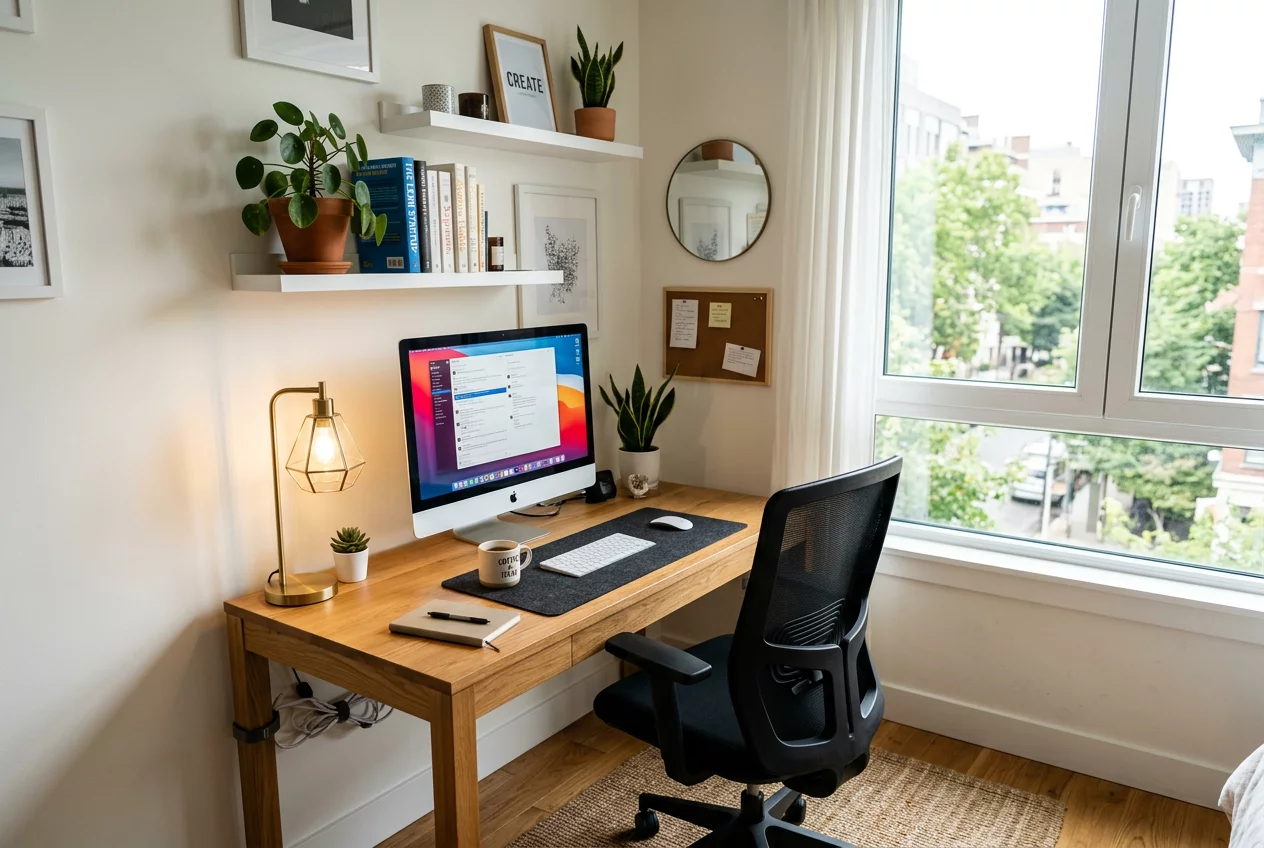
The Rise of the Flexible Home Office
The modern home often serves as a workplace, making the dedicated desk area a necessity. However, not everyone has a spare room to convert into an office. Multi-purpose workstations are the solution. These areas must transition seamlessly from a professional environment during the day to a personal space in the evening. RoomFlow Handbook focuses on creating setups that maximize productivity without sacrificing the aesthetic of the living area. Efficiency in a small footprint requires clever planning and ergonomic precision.
Selecting the Right Location
A workstation should be placed where distractions are minimal but accessibility is high. A quiet corner of the bedroom or a converted closet (a 'cloffice') are popular choices. Natural light is a significant advantage, so placing the desk near a window helps maintain energy levels. However, avoid facing the window directly if the glare on the screen is too intense. Side-lighting is often the best compromise. If the desk must be in the living room, use a screen or a tall plant to create a psychological boundary between 'work' and 'home'.
Ergonomic Essentials for Productivity
A workstation is only as good as its ergonomics. The desk height should allow the elbows to rest at a 90-degree angle while typing. The monitor should sit at eye level, approximately 20 to 30 inches away from the face. An adjustable chair with lumbar support is the most important investment. Many people neglect their feet; a small footrest can significantly reduce lower back pressure. RoomFlow Handbook recommends that for every hour of work, you should spend five minutes stretching or standing, which makes height-adjustable desks an excellent option for multi-purpose spaces.
Integrated Storage Solutions
Clutter is the enemy of focus. A multi-purpose workstation needs smart storage to hide work materials when the day is done. Vertical shelving above the desk utilizes wall space without increasing the footprint. Use decorative boxes to store cables, papers, and office supplies. This keeps the area looking like part of the home decor rather than a corporate cubicle. For desks located in common areas, a roll-top desk or a cabinet with a fold-down front allows you to literally close the door on your work at 5 PM.
Cable Management and Technology
Nothing ruins the look of a room faster than a tangle of black wires. Modern workstations must prioritize cable management. Use cable trays under the desk to hold power strips and excess cord lengths. Desk grommets or adhesive clips can guide charging cables to the surface neatly. Wireless technology for mice, keyboards, and printers further reduces the visual noise. If the workstation is part of a dining area, ensure that power outlets are easily accessible so you aren't running extension cords across the floor, which creates a tripping hazard.
Lighting the Task
General room lighting is rarely sufficient for detailed work. Dedicated task lighting is essential. A desk lamp with an adjustable arm allows you to direct light exactly where it is needed. Look for bulbs with a color temperature between 3000K and 4000K, which mimics daylight and aids concentration. To prevent eye strain, ensure the brightness of the task lamp is balanced with the ambient light in the room. Avoid working in a dark room with only a bright screen, as this causes the eyes to fatigue rapidly.